MakieWebinar
Download this exampleMakieWebinar.zipFull project — Dyad model + Julia + data
This library demonstrates how to use Makie, Julia's high-performance plotting library, together with Dyad acausal models: run a Dyad analysis and visualize the results with Makie. It accompanies a webinar presented in January 2026, which covers everything from basic Makie concepts (figures, axes, observables) to live parameter sweeps and animations. Here we show the static-plotting basics using the CairoMakie backend.
Plotting a Dyad simulation with Makie
The Hello model is a lumped thermal model — Newton's law of cooling, where a body at an initial temperature relaxes toward the ambient temperature. We run a transient analysis and let Makie's plot recipe draw the result directly:
using MakieWebinar, ModelingToolkit, DyadInterface
using CairoMakie
CairoMakie.activate!(type = "svg")

# Instantiate the lumped thermal model and run a Dyad transient analysis.
@named model = MakieWebinar.Hello()
result = TransientAnalysis(; model = model, stop = 10.0)

# Makie plots the analysis result directly, returning (figure, axis, plot).
fig, ax, plt = plot(result)
axislegend(ax; position = :rt)
fig
Selecting variables to plot
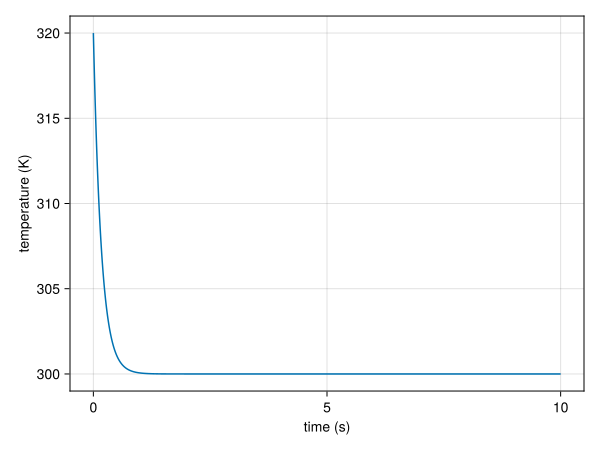
Passing idxs to the plot recipe chooses which model variables are drawn. Here we plot the temperature T on its own axis with custom labels:
fig = Figure()
ax = Axis(fig[1, 1]; xlabel = "time (s)", ylabel = "temperature (K)")
plot!(ax, result; idxs = [model.T])
fig