Applications
An Application is simply a Julia package that includes a scripts acting as an entrypoint when launched. Such applications have a wide range of applications: recurrent analytics workflows, report generation, running a website, an interactive dashboard...
Getting started
Once you have a bin/main.jl script in the repo, you can add it as an Application that's available for you to launch in the cloud on JuliaHub.
To register an application, go to Compute > Applications on JuliaHub and click on the Add an application button to enter the app's URL (for this tutorial: https://github.com/JuliaComputing/JuliaHubVSCodeExtensionTutorial.jl).
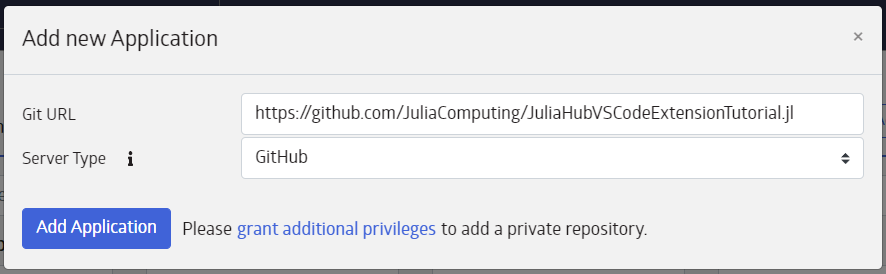
Once completed, a new app will be added under the My Applications section:
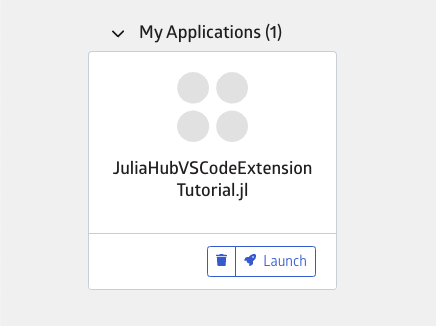
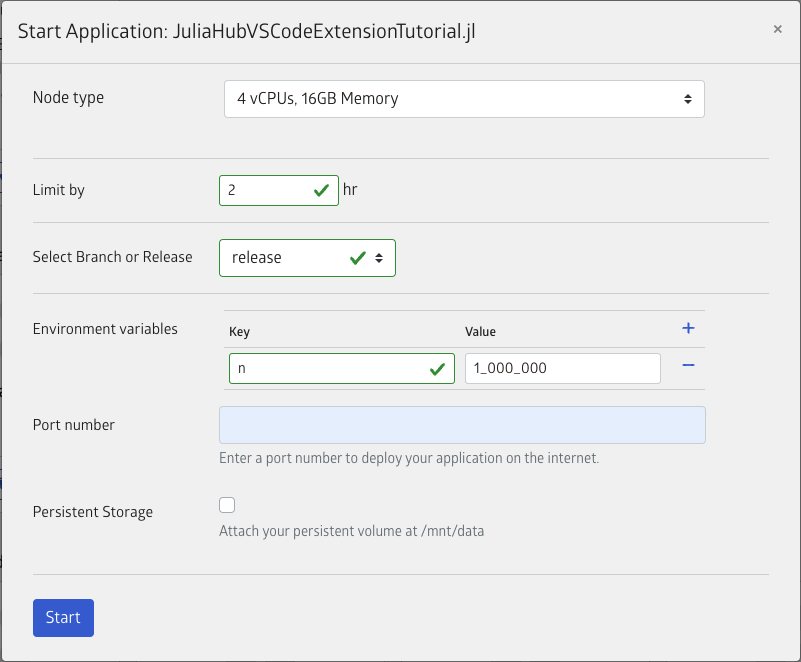
Click on the Launch button to open a menu for configuring the compute resources as well as app specific options.
In JuliaHub versions 26.4 and older: When the application is deployed, the bin/main.jl file is copied to the repo root and renamed code.jl. Therefore, any mention of @__DIR__ within bin/main.jl will expand to the repo root directory. To avoid discrepancies, it is recommended to use pkgdir to determine the path to modules or packages. In JuliaHub versions 26.5 and newer: The bin/main.jl is no longer copied to the repo root. It is instead invoked via include from the repo root. Therefore @__DIR__ will work as expected, i.e, it will expand to the bin folder. Note however that the commonly used guard abspath(PROGRAM_FILE) == @__FILE__ will not work, i.e, it will return false.
Inputs
JuliaHub supports passing parameters to an application through the global ENV dictionary. These parameters are passed as strings; simply parse them as appropriate and use them in your application's bin/main.jl script. A handy idiom is found in tutorial's exemplar main.jl:
n = parse(Int, get(ENV, "n", "1_000_000_000")) # Where 1_000_000_000 is the default valueThese parameters may be entered (or not) through the web interface.