

Registering Packages
Use the Registrator to register new packages or new versions of existing packages in a registry on JuliaHub. Registering opens a pull (or merge) request against the registry for the version found on the branch or tag you choose.
Ways to register a package
The same registration can be started four ways. They all go through the same Registrator, with the same permissions and the same result: anything you cannot register one way you cannot register any other way.
| Method | Best for | How |
|---|---|---|
| Web interface | Occasional, interactive registrations | Registering from the web interface, below |
jh command line | A terminal, or CI with the least setup | jh package register --registry <registry>, see Registering with the jh CLI |
| REST API | CI pipelines and tools that call HTTP directly | POST /registrator/v1/register, see Registering with the REST API |
| JuliaHub.jl | Julia scripts | JuliaHub.Experimental.register_package, see Registering with JuliaHub.jl |
Whichever method you use, registration needs:
The register privilege on the registry for the account that registers. Administrators grant it per registry under Admin → Settings → Registries.
A connection to the package's Git provider (GitHub, GitLab or Bitbucket) for that account, when the registry has Authorized registration enabled (the default). JuliaHub uses it to check that the account has commit access to the package. Connecting is a one-time, browser-based step: the Grant Privileges button on the registration page, or the account preferences page.
A registry credential that can reach the package repository, configured by an administrator on the registry. See Registry Management.
The command-line, REST API and JuliaHub.jl methods authenticate with a JuliaHub token instead of a browser session. For unattended use such as CI, use a long-term token; see Authenticating.
Registering from the web interface
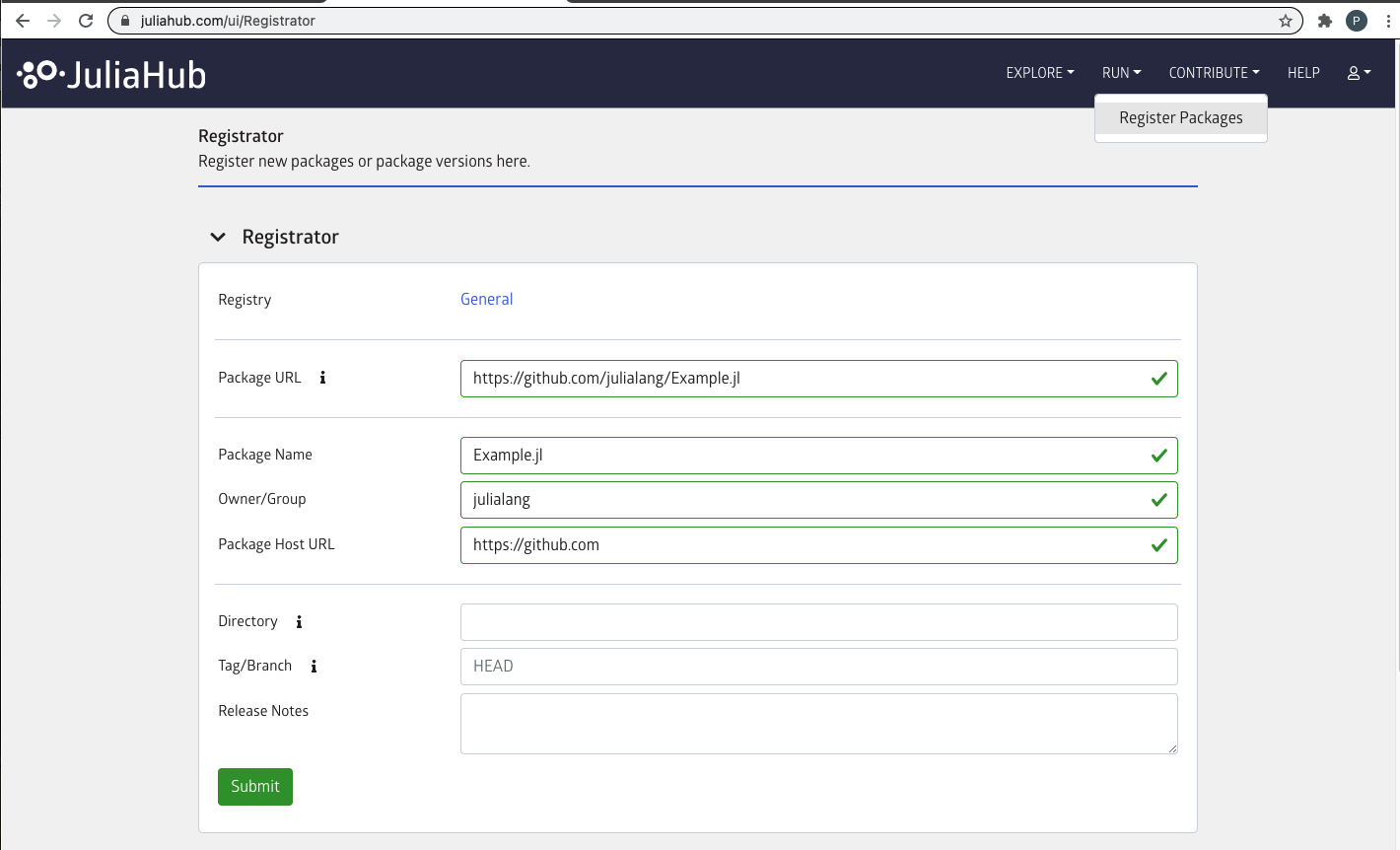
Note that you need to connect to GitHub or GitLab in order to verify that you have commit access to register new packages and versions.
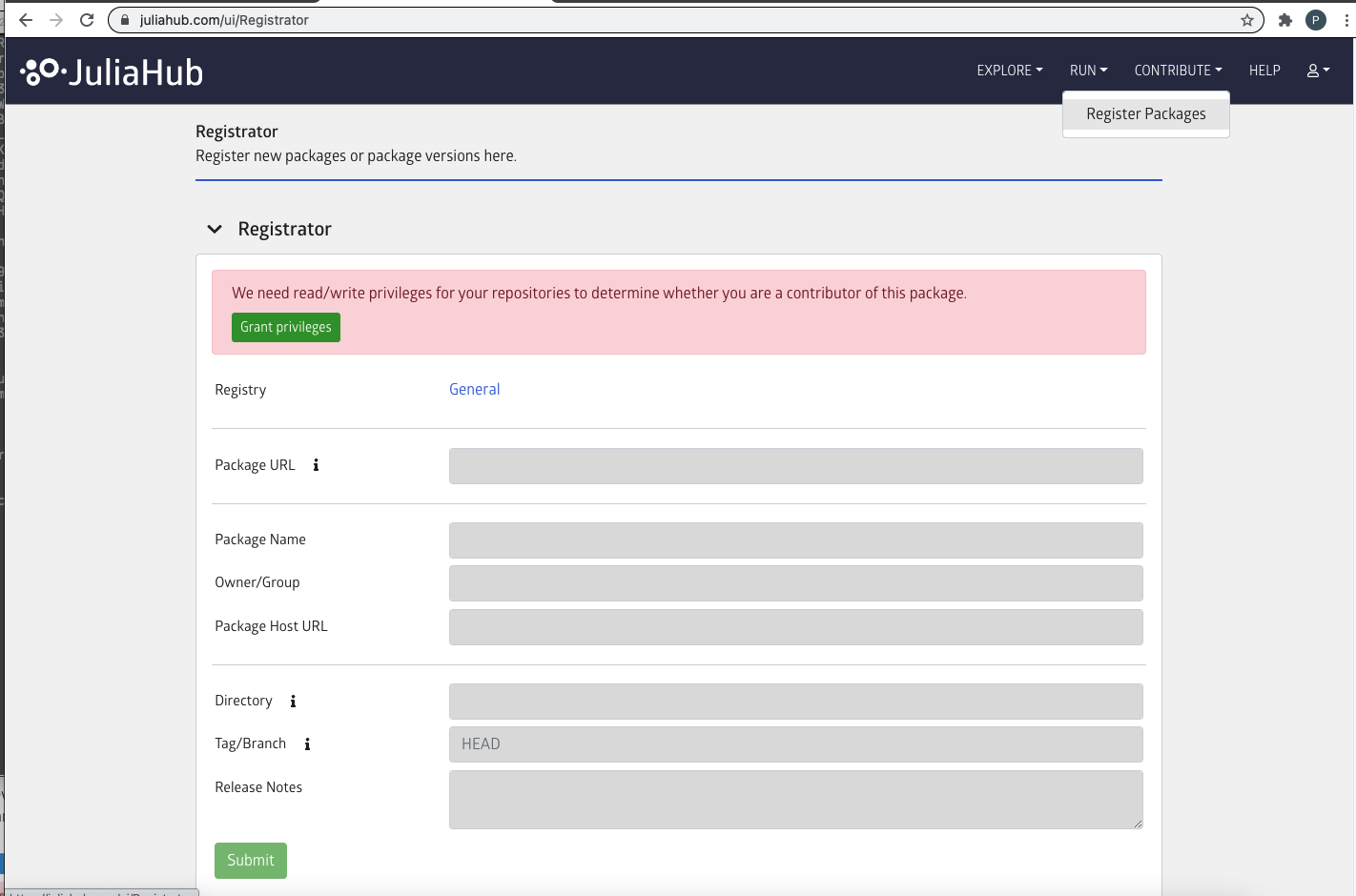
Click on the "Grant Privileges" button to grant Registrator access to check whether you are a contributor on the package that you want to register.
When your package registration is successful Registrator will create a registration pull request in the General registry. The General registry is the default registry used by julia's package manager. The General registry determines which packages users can install and which versions of packages they can get.
For a package registration to be valid the Project.toml file in the package (or JuliaProject.toml file) must contain valid name, uuid and version fields. See here to find out how to generate a Project.toml file. You can read more about package naming guidelines here.
Enter the URL of your package in the "Package URL" box as shown in the example above. The three subsequent fields i.e, "Package Name", "Owner/Group", "Package Host URL" will be auto-filled from this URL. Alternatively, you can enter the aforementioned three fields to have the Package URL be auto-filled.
The "Directory" field is optional. This is used when you want to register a package that is contained in a sub-directory inside the repository. In this case you can enter the name of the directory if it is at the top level or the path to the directory if it is a nested directory. For example, packages/viz/DataViz.jl. Note that you must use / as the delimiter when you enter a path.
The "Tag/Branch" field defaults to the repository's default branch. You can enter a branch other than the default one, or you can enter a release tag. For example, v0.1.1. This field indicates which branch or release tag Registrator will look at to create the registration pull request. In particular, Registrator will look at the version specified in the Project.toml file in this branch or release tag. Registrator also retrieves a tree hash for this checkout which uniquely identifies the checkout. The version and tree hash are part of the registration pull request.
The "Release Notes" field is optional. This is useful when you use TagBot on your package. TagBot automatically creates a release tag for you when your registration pull request is merged. The text that is entered in this field will go into the registration pull request description. TagBot will pick these up and paste them into the release changelog when it creates the release.
Common errors
Registering a version that already exists in the registry
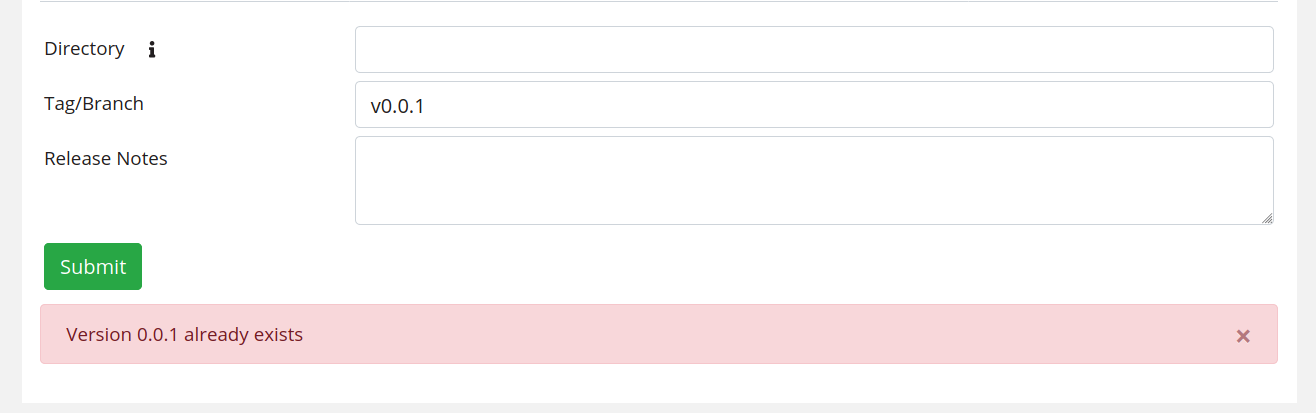
Registering a package version that already exists in the registry is not allowed. You have to use a different version number in order for the registration to be valid.
Changing the package URL
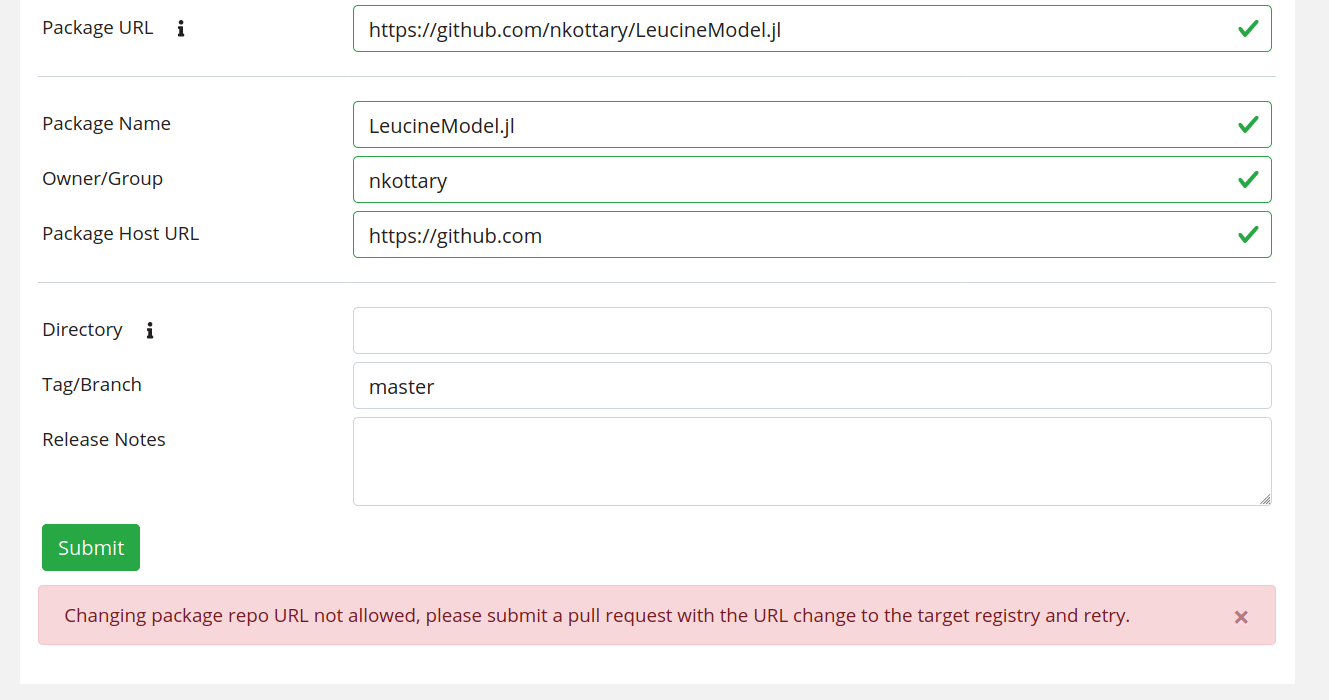
You cannot register a new version of a package by using a package URL that is different from what the package was previously registered with. If such a change is necessary then it must be made by directly editing the General registry. It is recommended to create a pull request to the General registry with the required URL change. A General registry maintainer will help you merge the pull request. Once the URL change is done you can proceed with your registration.
Slack channel
You are welcome to join the #pkg-registration channel on the Julia slack. Here you can get help and participate in discussions relating to the julia package registration process.